
Build Your Reputation & Stand Out
Editing your profile on Rayo allows you to build a strong identity within the community. A complete profile gains more traction, and their contributions are accepted faster.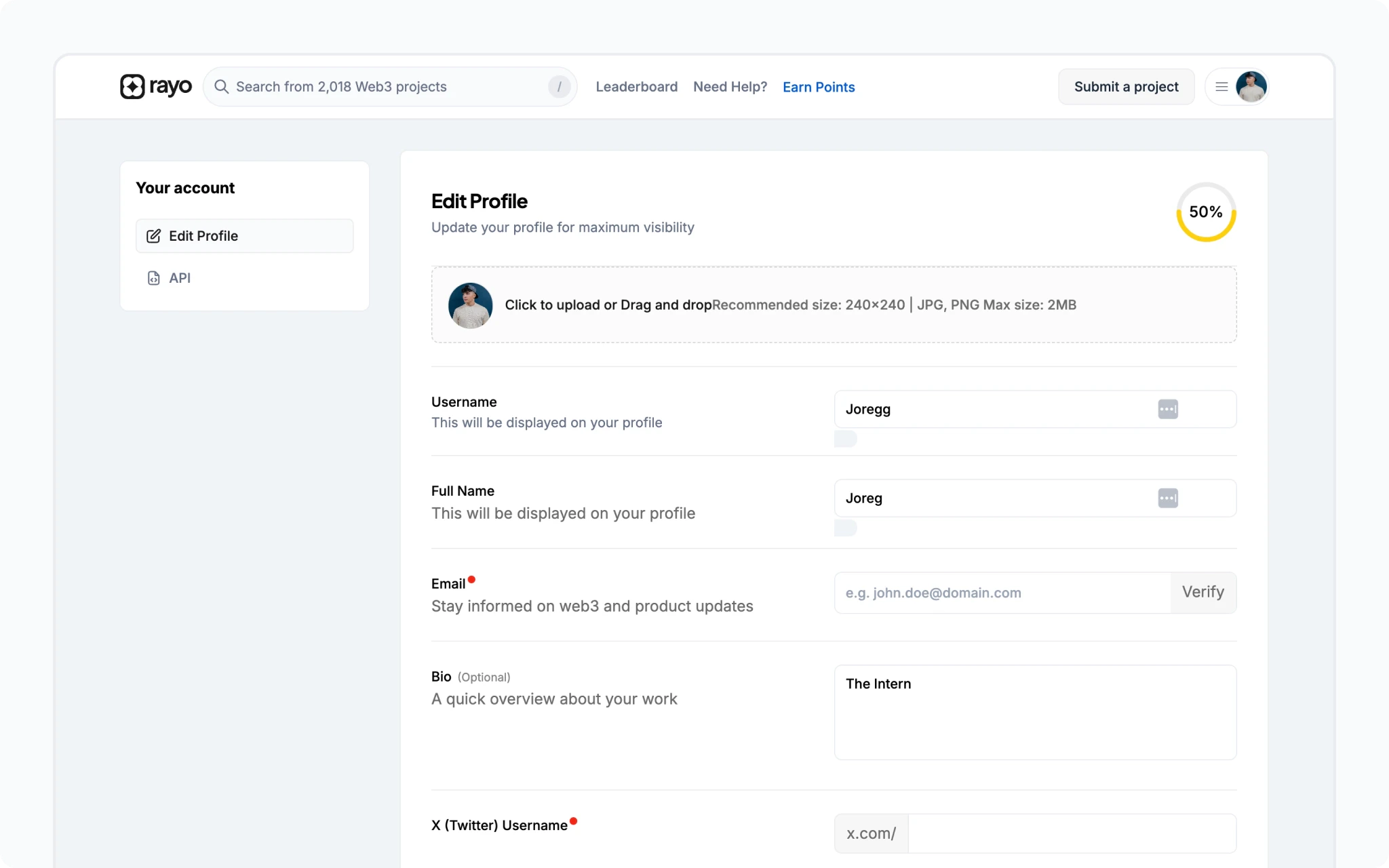
Profile Editing
- Connect your wallet, then click your account icon in the navbar.
- Access your profile by clicking your shortened wallet address.
- Click
Edit Profileto personalise your details.
Pro Tips for a Stellar Profile
- Profile Picture: Upload a clear, high-quality image (240px x 240px minimum,
.jpg,.jpeg, or.pngformat, max 2MB). - Catchy Username: Choose a memorable username using lowercase and uppercase letters, numbers, and underscores (
_). - Full Name & Bio: Craft a compelling bio that showcases your personality and interests.
- Connect Your Networks: Link your GitHub and X (formerly Twitter) profiles for easier collaboration and visibility.
- Expand Your Reach: Add links to your other social media platforms and website.