> ## Documentation Index
> Fetch the complete documentation index at: https://whitepaper.tdl.eco/llms.txt
> Use this file to discover all available pages before exploring further.
# Create & edit your profile
### Build Your Reputation & Stand Out
Editing your profile on Rayo allows you to build a strong identity within the community. A complete profile gains more traction, and their contributions are accepted faster.
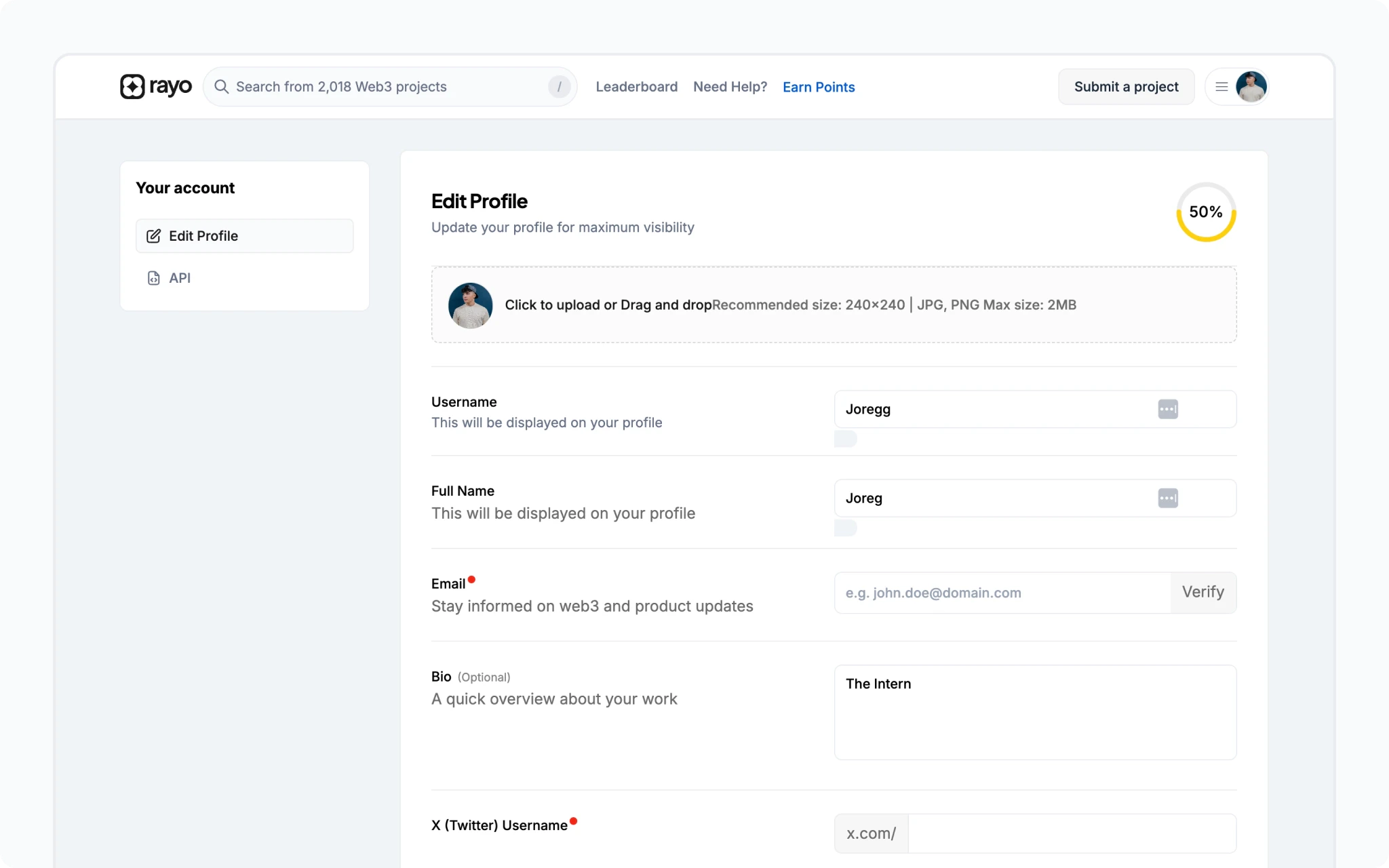 ### **Profile Editing**
* Connect your wallet, then click your account icon in the navbar.
* Access your profile by clicking your shortened wallet address.
* Click `Edit Profile` to personalise your details.
### **Pro Tips for a Stellar Profile**
* **Profile Picture**: Upload a clear, high-quality image (240px x 240px minimum, `.jpg`, `.jpeg`, or `.png` format, max 2MB).
* **Catchy Username**: Choose a memorable username using lowercase and uppercase letters, numbers, and underscores (`_`).
* **Full Name & Bio**: Craft a compelling bio that showcases your personality and interests.
* **Connect Your Networks**: Link your GitHub and X (formerly Twitter) profiles for easier collaboration and visibility.
* **Expand Your Reach**: Add links to your other social media platforms and website.
***
### **Profile Editing**
* Connect your wallet, then click your account icon in the navbar.
* Access your profile by clicking your shortened wallet address.
* Click `Edit Profile` to personalise your details.
### **Pro Tips for a Stellar Profile**
* **Profile Picture**: Upload a clear, high-quality image (240px x 240px minimum, `.jpg`, `.jpeg`, or `.png` format, max 2MB).
* **Catchy Username**: Choose a memorable username using lowercase and uppercase letters, numbers, and underscores (`_`).
* **Full Name & Bio**: Craft a compelling bio that showcases your personality and interests.
* **Connect Your Networks**: Link your GitHub and X (formerly Twitter) profiles for easier collaboration and visibility.
* **Expand Your Reach**: Add links to your other social media platforms and website.
***